
iPhone Untrusted Enterprise App Fast Fix Guide
A short iPhone troubleshooting guide for the untrusted enterprise developer app warning, showing the path through Settings, General, VPN and Device Management, and the final trust confirmation step.
Hello, this is Izzingne. A few days ago, I downloaded an app I needed for work. The app installed properly on the home screen, but when I tapped the icon to run it, it said it was an untrusted enterprise developer app and would not open. I fixed it quickly, so I wrote this for anyone in the same situation.
Because it was not downloaded from the App Store, I understood the message as meaning there could be risks such as personal information leaks or viruses. When I tapped the icon, the app did not open and just closed. Still, the fix was simple.
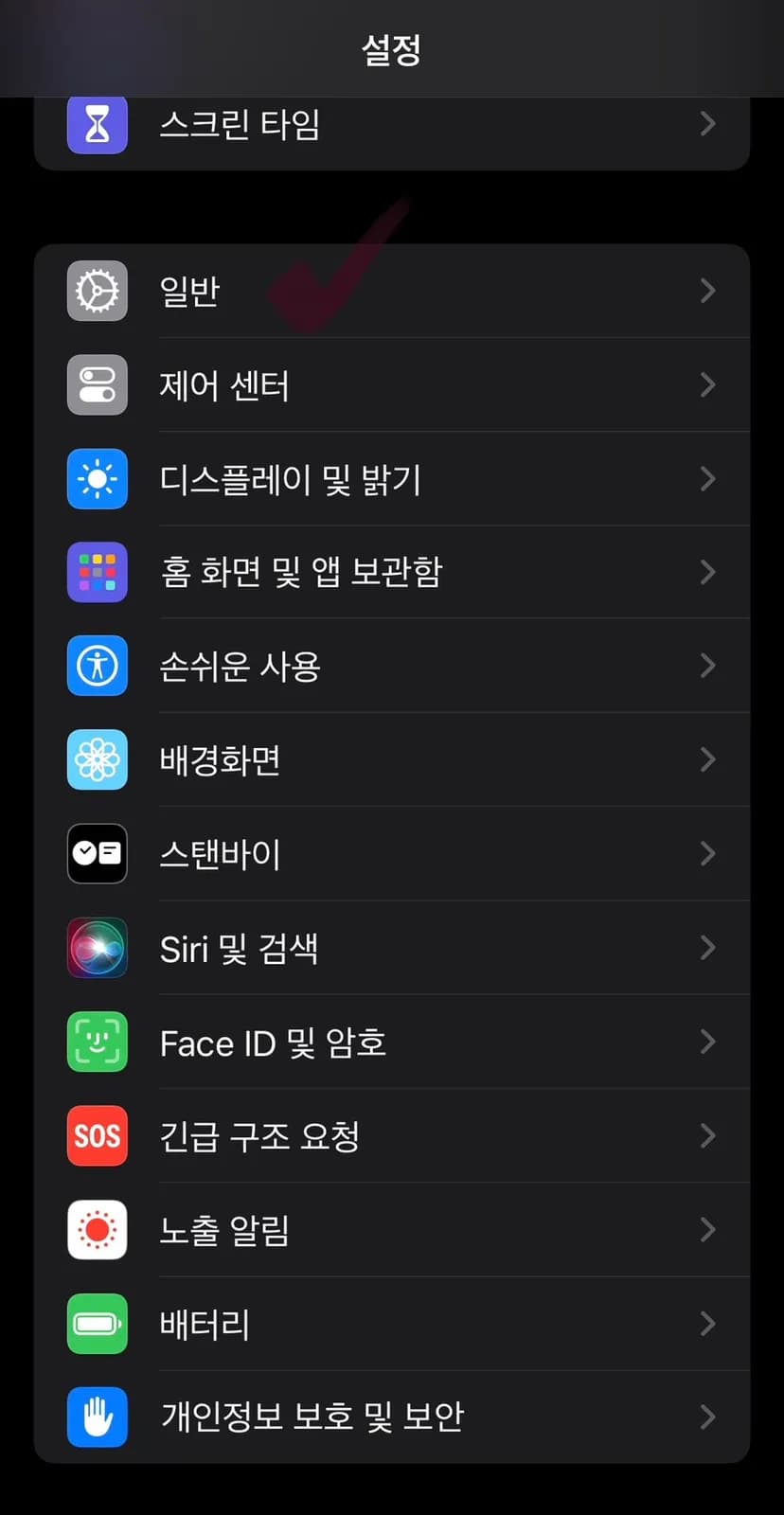
First, open Settings and choose General.
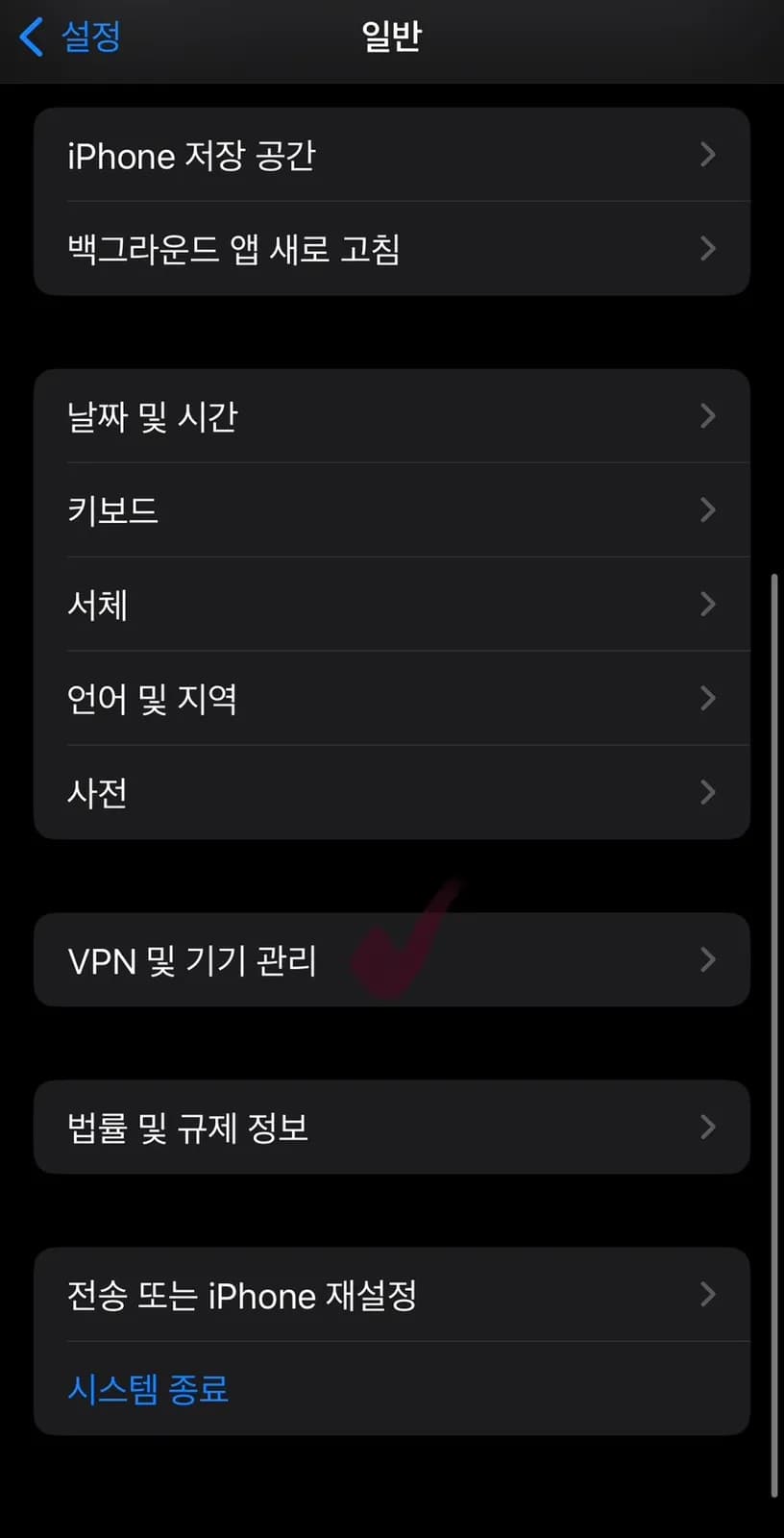
Scroll down a little and select VPN and Device Management.
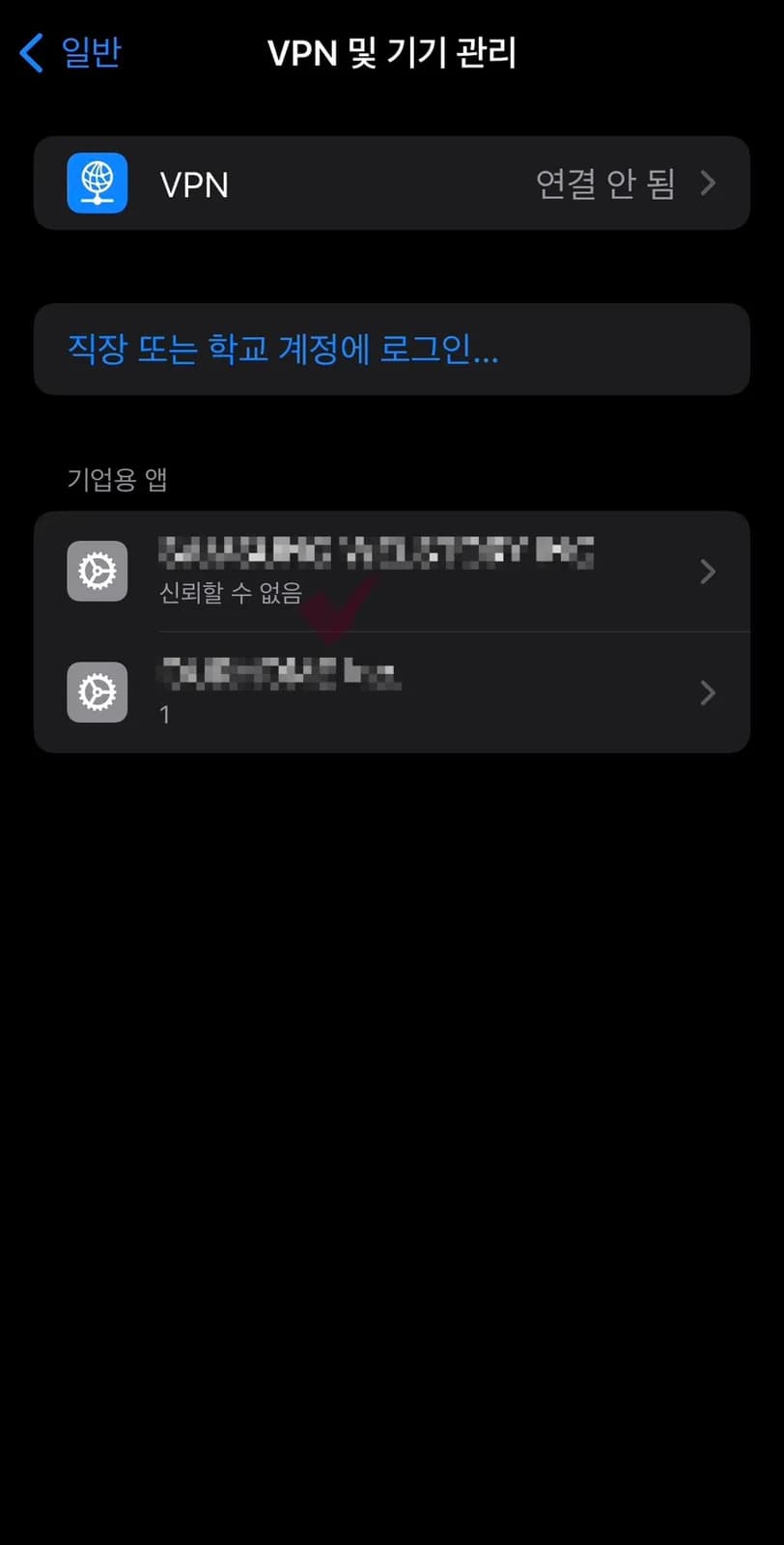
Then you will see the enterprise app types together with a message saying they are not trusted. I had installed two apps, so two appeared.
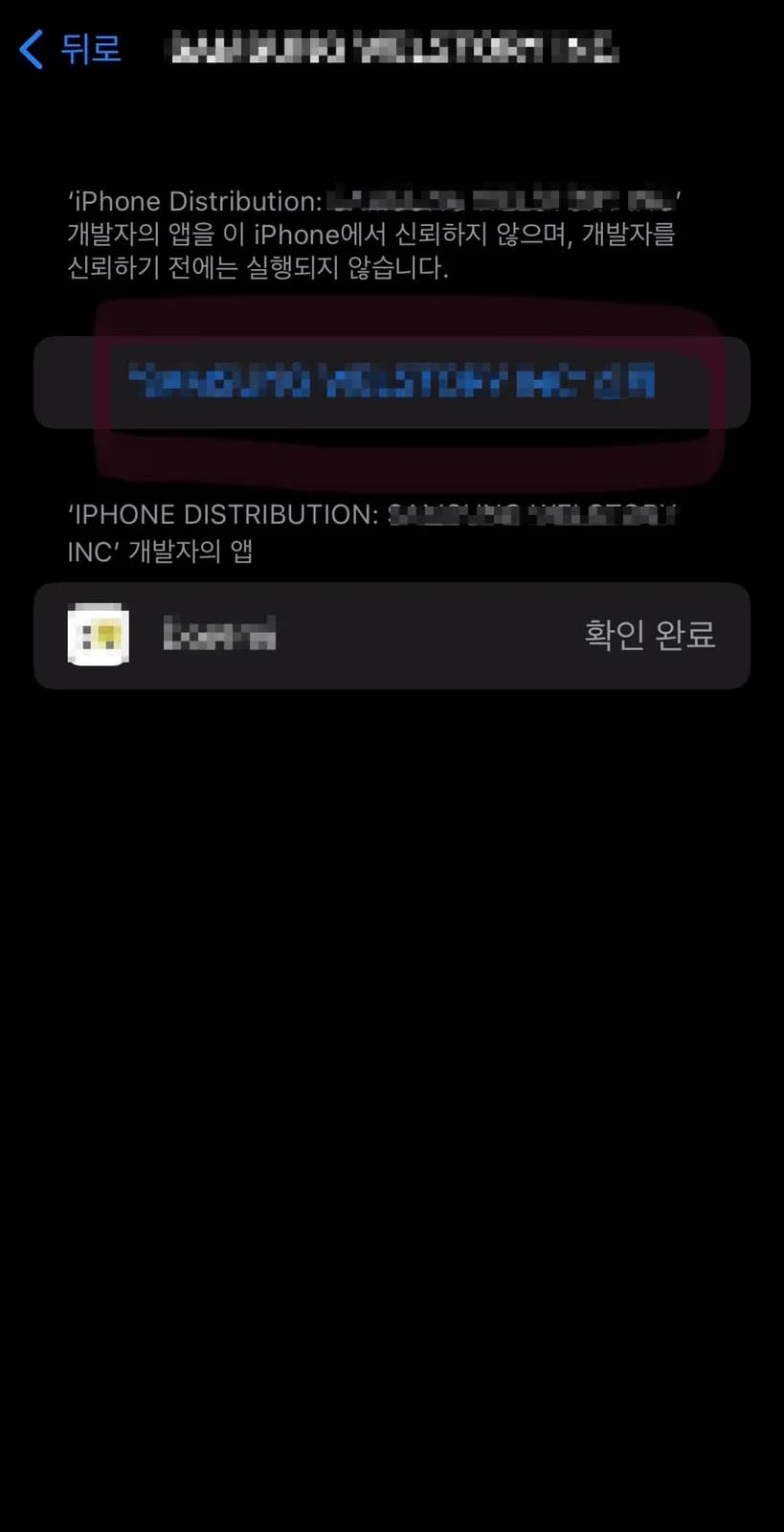
Select the first app, and the screen will move to this page. In the blue area I blurred, it shows the app name plus Trust. Tap that part.
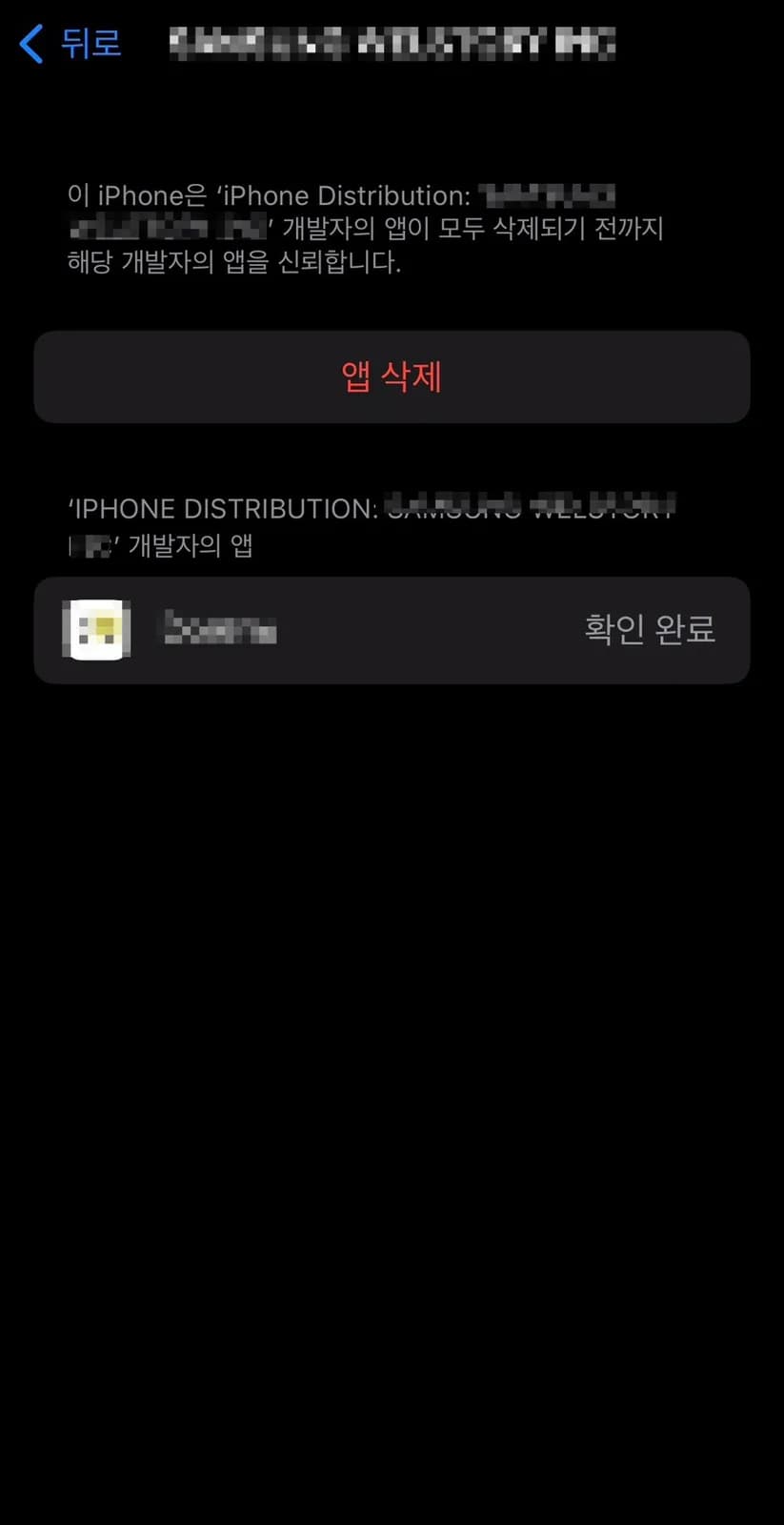
After that, it shows confirmation and the trust process is complete. If you run the app again, it should open normally. If you no longer need the app or want to delete it later, delete it the same way you would delete any other app. If you need an app but cannot open it, I hope these steps help.
Planning a visit around this area? Save this review, compare nearby spots on REVIEW IN KOREA, and confirm hours, reservations, and parking before you go.
Frequently asked questions
Where is the iPhone enterprise app trust setting?
What should you tap after selecting the enterprise app profile?
Can you delete the app later?
More content
- Uimat Malatang Near Myeonghak Station, Anyang: 24-Hour ReviewA personal review of Uimat Malatang, a clean 24-hour malatang spot directly by Myeonghak Station Exit 2 in Anyang, with parking support, unlimited rice, and customizable spice levels.09/23/2026

- Mungseokjip in Jongno 3-ga: Friday Wait and Korean BBQA personal review of Mungseokjip near Jongno 3-ga Station, covering its outdoor-style setting, Friday wait, Korean BBQ, and side dishes.09/23/2026
- Jeongipum Jjukkumi Gwangmyeong Branch 1: Spicy Octopus ReviewA personal review of Jeongipum Jjukkumi Gwangmyeong Branch 1, a spacious spot in AK Plaza Gwangmyeong for teppan jjukkumi, pork belly, and complimentary steamed egg.09/12/2026